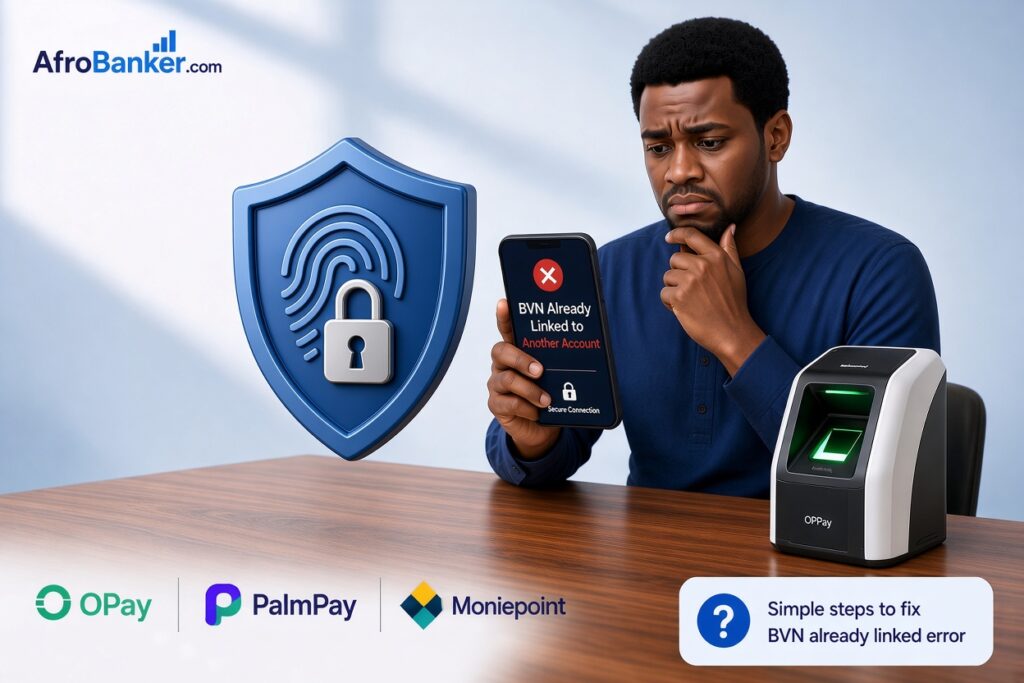
To fix a BVN already linked to another account on fintech apps like OPay, PalmPay, or Moniepoint, you must either recover the old account or contact customer support to unlink it. Because of Central Bank of Nigeria (CBN) regulations, users cannot manually unlink a BVN on their own. You can resolve this issue by resetting the password on your old phone number, initiating an official account closure to free up the BVN, or submitting an identity verification ticket to the fintech’s compliance team.
I’ve spent over 10 years working inside the Nigerian banking system, first in operations and later in compliance. One of the most common complaints I still hear from customers every week is this frustrating message: “BVN already linked to another account.” It usually pops up when people try to open or upgrade an account on OPay, PalmPay, or Moniepoint. Suddenly you’re stuck. You can’t complete registration, you can’t upgrade your tier, and you’re left wondering what to do next.
In this guide, I’ll explain exactly how to fix BVN already linked to another account, why this happens, how to fix it on each of the major fintech apps and answer the real questions people are searching for right now.
How to Fix a BVN Already Linked to Another Fintech Account:
Here is why this error occurs and the step-by-step methods to resolve it quickly.
- Identify the old account: Check the masked phone number shown in the app error message.
- Recover via password reset: Log out of your new account, enter the old phone number, and select “Forgot Password” to reclaim the original wallet.
- Delete the ghost account: If using PalmPay or OPay, log into the old account and request a permanent account closure to release the BVN.
- Contact customer compliance: If you cannot access the old SIM, submit your BVN slip, valid ID, and a selfie to the app’s support team to manually merge or unlink the profiles.
When trying to upgrade your account tier or verify your identity on popular Nigerian fintech platforms like OPay, PalmPay, Moniepoint, or Kuda, hitting the error message “BVN already linked to another account” can stop your registration in its tracks.
Under Central Bank of Nigeria (CBN) regulations, your Bank Verification Number (BVN) is uniquely tied to your identity. A single BVN cannot be used to open multiple primary personal accounts on the same fintech app under different phone numbers.
Step-by-Step Solutions on How to Fix BVN Already Linked to Another Account
Method 1: Log In Using Your Old Phone Number
If you previously used the app under an older phone number:
- Log in using your old mobile number.
- Navigate to Settings > Security / Account Management.
- Select Change Phone Number.
- Complete the OTP verification to transfer your profile and linked BVN to your current line.
Method 2: Unlink the Previous Account via Customer Support
If the line was recycled or you no longer have access to the old account, the fintech app’s support team must manually unlink your BVN from the dormant profile.
To complete this verification, you will need to provide:
- A valid government-issued ID (NIN Slip, Voter’s Card, International Passport, or Driver’s License).
- Your official BVN document or printout.
- Proof of ownership for your current phone number (e.g., a SIM pack or telecom welcome letter/receipt).
Send an Email to The Fintech Support
Send this email directly to the customer support team of the affected app (e.g., support@opay-inc.com, support@palmpay.com, or support@moniepoint.com).
Here is the drafted format:
Subject: Request to Unlink BVN [Your BVN Number] from Old/Recycled Account
Dear Support Team,
I am attempting to verify my identity and complete my account setup on your platform using my mobile number [Your Current Phone Number].
However, I received an error stating that my BVN is already linked to another account.
I do not have access to the previous account associated with this BVN, as the phone number was either recycled by the telecom provider or belongs to an old profile I no longer use.
Here are my official details for identity verification:
– Full Name (as on BVN): [Your Full Name]
– BVN: [Your 11-digit BVN]
– Date of Birth: [DD/MM/YYYY]
– Current Phone Number: [Your Current Phone Number]
– Email Address: [Your Email Address]
Attached to this email, please find:
- A clear image/PDF of my government-issued ID card.
- My official BVN slip.
Kindly assist in unlinking my BVN from any previous account so I can link it to my active account ([Your Current Phone Number]).
Thank you for your prompt assistance.
Best regards,
[Your Full Name]
[Your Contact Number]
What Does “BVN Already Linked to Another Account” Mean?
Your Bank Verification Number (BVN) is unique to you. The Central Bank of Nigeria and NIBSS designed it so that one person can have only one BVN. When a fintech app tells you the BVN is already linked, it means that same BVN is already attached to an existing account (sometimes one you created years ago and forgot about, or one opened with an old phone number).
Why This Error Happens
From my experience, these are the most common causes:
- You previously opened an OPay, PalmPay, or Moniepoint account and later stopped using it.
- Someone used your BVN (with or without your knowledge) to open an account.
- Your phone number changed, but the old account is still active.
- You tried to open a second account with the same BVN on the same platform.
- System mismatch between your BVN details and the information on the new account.
Can One BVN Be Used for Two OPay or PalmPay Accounts?
According to current CBN guidelines and what the apps themselves enforce, a single BVN can normally be linked to a limited number of accounts (often a maximum of two on some platforms). Trying to open a third one usually triggers the “already linked” error. You cannot have two different BVNs. That is strictly not allowed.
How to Fix the Problem on Each App
- OPay
OPay does not give users a direct “unlink BVN” button inside the app.
What works:
- Open the OPay app → go to Profile → Help/Support → Contact Us.
- Choose WhatsApp, call, or in-app chat.
- Clearly explain that you want to unlink your BVN from the old account because you are trying to open or upgrade a new one.
- Provide your full name, BVN, and the phone number currently linked.
Official OPay contact numbers that still work in 2026:
0700 888328, 01 888328, 0700 888329
WhatsApp: +234 916 599 8936
- PalmPayPalm
Palmpay’s official position (confirmed by their support team) is that BVN cannot be unlinked directly on the app. The practical solutions are:
- Contact PalmPay support and request them to close or delink the old account.
- Or close the existing account completely, then open a new one with the same phone number and re-link your BVN.
Contact them via the in-app chat or call +234 2018886888.
- Moniepoint
Moniepoint is stricter with business and agent accounts. Contact their customer support through the app’s live chat or email and request a review of the BVN linkage. Be ready to provide your BVN, NIN, and a valid ID.
| Fintech App | Quickest Resolution Method | Customer Support Channel |
| OPay | In-app Live Chat identity verification | customerservice@opay-inc.com |
| PalmPay | Account Closure feature on the old profile | In-app Customer Service / Settings |
| Moniepoint | Profile merging via Relationship Manager | In-app Support Ticket |
Why Am I Seeing the “BVN Already Linked” Error?
This issue usually happens for one of three reasons:
- Recycled Phone Numbers: Telecom providers (MTN, Airtel, Glo, 9mobile) reassign inactive SIM cards. If the previous owner registered an account using that phone number and tied their BVN to it, the system detects a conflict when you try to register with the same line.
- Existing Account Under a Different Number: You may have opened an account on the platform years ago using an old phone number or alternate email and forgotten about it.
- Data Mismatch: The phone number registered on your official NIBSS BVN database does not match the mobile number you are using to sign up on the fintech app.
Many people panic when they see the “BVN already linked” error because they worry someone may have used their banking details. Go through my guide “Can someone hack my bank account with my BVN and phone number? The truth from a bank staff.
How to Prevent Future BVN Linking Conflicts
- Update NIBSS Records: Ensure your primary phone number registered on your official BVN profile matches the active phone number you use for digital banking.
- Close Unused Profiles: Before changing phone numbers, log into existing fintech profiles and request account closure or phone number updates.
- Keep SIM Cards Active: Recharge and use secondary lines regularly to prevent telecom operators from recycling your phone number to new subscribers.
Can I unlink my BVN from my PalmPay account?
No, you cannot completely unlink your BVN from a PalmPay or OPay account once it is verified, as Nigerian financial regulations require it for identity tracking. However, you can update your details, contact customer support to deactivate accounts, or resolve multi-account link conflicts.
Can I unlink my BVN from my PalmPay or OPay account?
No. Once a BVN is linked to a tier-2 or tier-3 wallet on OPay or PalmPay, it cannot be unlinked or deleted due to Central Bank of Nigeria (CBN) Know Your Customer (KYC) compliance rules. You can only permanently delete or close the entire account to stop its use.
Can one BVN be used for two OPay or PalmPay accounts?
No. You cannot use one BVN to open or verify two separate accounts on the same fintech platform. Your BVN acts as a unique biometric identifier; assigning it to a second account will trigger a “BVN already in use” error.
Can OPay block my BVN?
Yes. If OPay flags your account for fraudulent activities, cybercrime, or suspicious transactions, they have the authority to freeze your wallet and blacklist or report your BVN to the NIBSS (Nigeria Inter-Bank Settlement System), which can affect your access to the entire banking system.
Can I change my BVN number on OPay?
No. You cannot arbitrarily change your BVN string because your legal identity does not change. If you mistakenly linked the wrong BVN, you must contact OPay customer care directly with legal proof of identity to correct it manually.
How can I fix issues with my mobile number linked to multiple bank accounts?
Visit the physical branch of the bank where you want to rectify the issue and fill out a Customer Information Update Form. Request them to clear any stale or ghost records tying your current phone number to old accounts.
How do I find all accounts connected to my phone number?
There is no universal public app to scan all banks at once. The most reliable method is to check your credit report via licensed bureaus (like First Central or CRC Credit Bureau) or dial the NIBSS BVN code *565*1# to see what primary information is indexed. You can also test your phone number on major banking apps using the “Forgot Account Number” or “Transfer” feature to see what names pop up.
How do I remove accounts linked to my phone number?
You must formally request each specific financial institution to remove or update the phone number associated with that account. This requires visiting a banking hall with a valid government-issued ID.
How to unlink bank accounts from apps?
Open the respective financial app, go to Settings > Linked Accounts / Payment Methods, select the linked debit card or bank account, and click Remove or Delete. For direct bank-to-app mandates, you can log into your commercial bank’s internet banking portal and revoke the active Direct Debit Mandate or token.
What happens if I unlink an app from my bank account?
The app will instantly lose its authorization to automatically pull funds via direct debit or process recurring subscriptions. Your money remains completely safe in your bank account, but automatic app services will pause until re-authorized.
How to remove links permanently?
To permanently break the bond, delete your card/account details from the merchant app, revoke the mandate from your bank’s side, and request the app support team to purge your payment profile records from their servers.
Core Banking & BVN Regulations
| Question | Short, Direct Answer |
| Can two different banks have the same account number? | Yes. Account numbers are generated independently by individual banks. A 10-digit NUBAN number can exist at Bank A and also belong to a completely different person at Bank B. |
| Can I have 2 BVN numbers? | No. Having two BVN numbers is illegal in Nigeria. Your biometrics (fingerprints and facial recognition) ensure you can only generate one unique BVN in your lifetime. Attempting to get a second one triggers a system lockout. |
| Can I block my BVN and open another one? | No. You can temporarily freeze or blacklist your BVN if identity theft occurs, but you can never delete it to open a brand-new one. You must fix issues on the existing BVN string. |
| Can I change my BVN phone number in any bank? | Yes. You can change your BVN-linked phone number by visiting the specific commercial bank where you first enrolled for your BVN. Bring a valid ID, your BVN printout, and proof of SIM registration. |
| How many times can I change my BVN name? | Generally once, and it must be backed by strict legal documentation (such as a marriage certificate, newspaper change of name publication, or a court affidavit) to prevent identity fraud. |
Practical Tips from My 10+ Years of Experience
- Always keep a record of every fintech account you open (phone number + date).
- If you change your phone number, update it on all existing accounts immediately.
- Never share your BVN with anyone, including “agents” who promise to open accounts for you.
- If support keeps giving you the run-around, visit their physical office or escalate with a formal email.
Key Takeaways
| Common Cause | Primary Solution | Required Documents |
| Recycled SIM Card | Email Customer Support to unlink old account | Govt ID + BVN Slip |
| Old/Forgotten Account | Log in with old number and update profile number | OTP Verification |
| NIBSS Phone Mismatch | Update phone number directly at your primary bank | Bank In-Person Request |
Frequently Asked Questions (FAQs)
Can I unlink my BVN from my PalmPay or OPay account?
Yes, but not by yourself inside the app. You must contact customer support and request it. In many cases they will ask you to close the old account instead.
Can I use my BVN to open two PalmPay or OPay accounts?
Usually limited to two. A third attempt almost always fails.
Can I have 2 BVN numbers?
No. One person, one BVN only. Having two is illegal and will cause permanent problems.
Can I change my BVN phone number?
Yes, but it is restricted. Under current CBN rule, you can change the phone number linked to your BVN only a limited number of times (in some cases once for life after recent updates). You must visit the bank that originally registered your BVN.
Can OPay or PalmPay block my BVN?
They can restrict the accounts linked to your BVN, but they cannot “block” the BVN itself. Only NIBSS/CBN controls the BVN database.
How do I find all accounts connected to my phone number or BVN?
Dial *565*0# from the phone number linked to your BVN to retrieve the number. For a full list of accounts, visit any commercial bank branch with your valid ID and request a BVN enquiry printout.
How do I permanently remove or delink a bank account from an app?
Close the account through the app’s support channel or by writing to them. Once closed, the linkage is usually cleared after a few days.
Can I unlink my BVN from my PalmPay account?
Not directly in the app. Contact support or close the account.
Can I unlink my BVN from my OPay account?
Only through customer support.
Can one BVN be used for two OPay accounts?
This is limited. It’s usually up to two. Beyond that, it fails.
Can I use my BVN to open two PalmPay accounts?
Same limitation applies.
How do I unlink my bank account from any app?
Request account closure through the official support channel of that app.
How do I remove accounts linked to my phone number?
Change the phone number on the old accounts or close them.
Can two different banks have the same account number?
No. Account numbers are unique within the Nigerian banking system.
Can I block my BVN and open another one?
No. You cannot block or create a second BVN.
Can I change my BVN number on OPay?
No. The BVN itself cannot be changed. Only the details linked to it can be updated at the enrolling bank.
How many times can I change my BVN name?
Name changes are possible but require a sworn affidavit, newspaper publication (in many cases), and approval at the bank that captured your BVN. It is not unlimited.
What happens if I unlink an app from my bank account?
You lose the ability to send or receive money through that app using the linked details. Your main bank account remains active.
My Conclusion
Having spent over a decade working inside the Nigerian banking sector, I have watched our financial ecosystem transform from slow banking halls to instant fintech apps. But with that speed comes stricter security. If you are feeling deeply frustrated by the “BVN already linked” error, please understand that these digital roadblocks are not designed to lock you out, they are mandated by the Central Bank of Nigeria (CBN) to protect your hard-earned money from identity theft and fraud.
Resolving this identity mismatch requires patience, but it is entirely fixable. Your quickest path forward is always to try recovering that forgotten mobile number first. If that fails, do not hesitate to contact official compliance channels at OPay Support, PalmPay Customer Care, or your dedicated Moniepoint Relationship Manager to merge your digital profiles. Protect your data, stay safe from online BVN unlinking scams, and take control of your financial footprint today.