
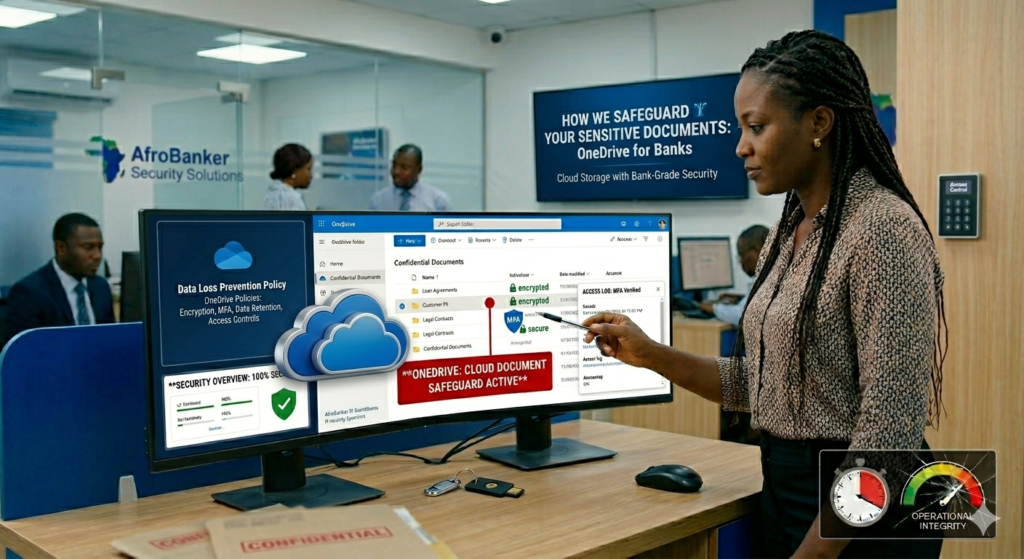
How Banks Safeguard Sensitive Documents Using OneDrive
Banks safeguard sensitive documents using OneDrive by implementing a zero-trust architecture rooted in advanced encryption and automated compliance. For data in transit, the platform deploys Transport Layer Security (TLS 1.3), while data at rest is shielded using unique, per-file BitLocker AES 256-bit encryption.
In today’s digital banking environment, physical file rooms are rapidly disappearing. Banks are now moving sensitive customer records, internal documents, and compliance files to secure cloud platforms like the Microsoft OneDrive. But this raises a critical question, “How do banks ensure that highly confidential documents remain safe in the cloud”?
To prevent data leaks, financial institutions integrate OneDrive with Microsoft Entra ID to enforce strict Conditional Access Policies, which automatically block login attempts from unapproved devices or unsecured networks. Furthermore, automated Data Loss Prevention (DLP) engines continuously scan stored files for sensitive indicators such as customer account numbers or national identity codes instantly preventing employees from sharing regulatory data outside the bank’s secure perimeter.
For customers in Nigeria and across Africa, where digital banking adoption is growing rapidly, understanding how banks safeguard data is essential for building trust.
Here I will explain how banks use OneDrive to protect sensitive information while staying compliant with regulations like NDPA (Nigeria Data Protection Act) and global standards. In Africa, especially Nigeria, cloud adoption is growing, but customer awareness is still low, many customers still believe physical files are “safer” and banks must do more education and transparency.
How Banks Safeguard Sensitive Documents Using OneDrive: A Banker’s 10 Year Perspective
I still remember the era of massive, musty archives. Ten years ago, as a fresh-eyed banking professional, a significant portion of my week involved tracking down physical loan files, cross-referencing customer signatures on paper, and ensuring that physical vault keys were securely logged. If a compliance auditor walked in, anxiety spiked across the branch.
Today, the physical vaults are shrinking, replaced by the cloud. But in the financial sector, moving to the cloud isn’t as simple as clicking “upload.”
As a bank staff member with over a decade of experience navigating strict regulatory frameworks, audit committees, and evolving cyber threats, I have watched our industry cautiously transition to modern workspaces. One tool that has quietly become a cornerstone for digital asset protection is Microsoft OneDrive.
Many people view OneDrive as a simple cloud folder for personal photos or Excel sheets. However, within an enterprise banking environment, it transforms into an institutional fortress. Here is an insider’s look at exactly how banks leverage OneDrive to secure sensitive data while maintaining operational agility.
The Zero Trust Architecture: No One is Automatically Trusted
In banking, the golden rule of security is simple: trust no one, verify everyone. Ten years ago, we trusted anyone who physically sat at a bank desk. Today, with remote work and hybrid branch structures, that logic is obsolete.
OneDrive integrates directly with Microsoft Entra ID (formerly Azure Active Directory) to enforce Conditional Access Policies.
-
- Location-Based Restraints: As bank employees, we cannot access sensitive audit documents from a random coffee shop Wi-Fi network. OneDrive detects the unverified IP address and completely blocks access.
- Device Compliance: If my workstation does not have the latest security patches or mandatory corporate endpoint security installed, OneDrive locks down my access.
This means even if a bad actor manages to phish a bank worker’s password, they cannot open a single document unless they are using an authorized, fully compliant bank device on a secure network.
Bank-Grade Encryption: Protecting Data at Rest and in Transit
A decade ago, we worried about someone stealing a physical binder from a desk. Today, the worry is packet sniffing and server breaches. OneDrive mitigates this through dual-layer encryption.
┌──────────────────────────────────────────────────────────┐
│              SENSITIVE BANK DOCUMENT LAYER               │
└────────────────────────────┬─────────────────────────────┘
                             ▼
     [Data-in-Transit: TLS 1.2+ with Perfect Forward Secrecy]
                             ▼
 ┌─────────────────────────────────────────────────────────┐
 │               MICROSOFT SECURE CLOUD SERVERS            │
 └───────────────────────────┬─────────────────────────────┘
                             ▼
     [Data-at-Rest: BitLocker AES 256-Bit Unique Key Encryption]
When a credit analyst uploads a customer’s statement, the data is encrypted before it even leaves the device using Transport Layer Security (TLS). Once it rests in the cloud, it is protected by BitLocker AES 256-bit encryption.
Crucially, Microsoft employs per-file encryption. Every single file has its own unique encryption key. If a catastrophic breach hypothetically cracked one file’s key, the rest of the bank’s millions of documents remain completely unreadable.
Data Loss Prevention (DLP) and “The Human Factor”
Over my 10 years in the bank, I’ve learned that the biggest security vulnerability isn’t malicious hackers; it’s an exhausted employee accidentally hitting “Reply All” or sending a document to the wrong email address.
OneDrive’s Data Loss Prevention (DLP) protocols act as an automated compliance officer looking over our shoulders.
-
- Automated Content Scanning: The moment I save a document containing a 10-digit Nigerian NUBAN account number, a BVN (Bank Verification Number), or credit card details, OneDrive automatically flags it.
- Restricted Sharing: The “Share” button is heavily modified by bank IT policy. We cannot share sensitive files with external personal email addresses (like Gmail or Yahoo).
- Policy Tips: If an employee attempts to email an internal risk assessment externally, a pop-up warning immediately blocks the action, explaining the compliance violation before the mistake can happen.
Absolute Accountability: Audit Trails and File Versioning
If there is one thing a decade in banking teaches you, it is that if it isn’t documented, it didn’t happen. Central banks and internal audit teams require absolute transparency.
OneDrive provides a completely unalterable audit log. Every single action whether a file is viewed, edited, downloaded, or renamed—is permanently stamped with a time, date, device ID, and employee name.
Furthermore, Version History prevents accidental overwrites or malicious tampering. If an employee alters a spreadsheet detailing the bank’s liquid assets incorrectly, we don’t panic. With a few clicks, we can review every historical iteration of that file and seamlessly roll it back to its exact compliant state from days or weeks prior.
The Verdict: A Modern Vault for Modern Banking
Moving from heavy metal cabinets to cloud folders felt daunting to traditional bankers a decade ago. However, tools like OneDrive have proven that digital workflows can actually be significantly more secure than physical ones.
By combining automated encryption, strict conditional access, and proactive data loss prevention, banks don’t just store files in the cloud—they seal them inside a dynamic, intelligent vault designed to withstand the highest levels of modern scrutiny.
Why Banks Use OneDrive for Document Storage
As someone who has worked in the bank over the years, I realized that Banks are increasingly adopting Microsoft OneDrive (part of Microsoft 365) because it provides secure cloud storage, its is easy to access documents across branches, there is a real-time collaboration and finally there is a huge disaster recovery and backup. Instead of relying on physical files that can be lost, damaged, or stolen, OneDrive ensures that documents are:
- Digitally stored
- .Encrypted
- Easily retrievable.
Key Security Features Banks Use in OneDrive
1. Encryption (Data Protection at All Times)
Banks rely heavily on encryption to protect documents. At rest, files are encrypted while stored in the cloud and while in transit, files are protected when being uploaded or shared. This means even if data is intercepted, it cannot be read without authorization.
2. Access Control and Permission Management
Not every bank employee can access every file. Banks use strict controls such as role-based access (e.g., teller, auditor, manager), restricted folder permissions, and approval workflows before access is granted. For example, A service teller or an operations staff may only view customer transaction documents, while compliance officers accesses audit reports.
3. Multi-Factor Authentication (MFA)
To prevent unauthorized access to banks information, banks enforces a multi-factor authentication which include Password + OTP (One-Time Password) and a Biometric verification (where applicable). Even if a password is compromised, attackers cannot gain access without the second layer.
4. Audit Logs and Activity Monitoring
Banks track everything. OneDrive allows institutions to monitor who accessed a file, track edits and downloads and detect suspicious activities.
This is critically used for Fraud prevention, Internal investigations and also for Regulatory compliance.
5. Data Loss Prevention (DLP)
Banks configure DLP policies to prevent sensitive data leaks. For example, blocking sharing of documents containing BVN or account numbers, restricting external downloads and alerting admins if sensitive data is exposed.
Compliance and Regulatory Requirements
Banks in Nigeria/Africa must follow strict regulations such as the NDPA (Nigeria Data Protection Act), which requires: customer consent for data processing, strong data protection measures and breach reporting. Banks should also follow the PCI DSS (for card data) which ensures the secure handling of cardholder information, and finally the Internal CBN Guidelines, which mandates banks to:
- Secure storage of customer data
- Controlled access to banking records.
OneDrive helps banks meet these standards through built-in compliance tools.
Risks and How Banks Mitigate Against Them
Even with cloud systems, risks continue to exist, and here’s how banks handle them:
|
Risk
|
Mitigation
|
|---|---|
|
Unauthorized access
|
MFA + strict permissions
|
|
Data leakage
|
DLP policies
|
|
Insider threats
|
Monitoring & audit logs
|
|
Cyber attacks
|
Encryption + Microsoft security layers
|
|
Accidental deletion
|
Version history & backups
|
What Bank Customers Should Know
As a customer, you should understand that your documents are not just stored, they are secured with multiple layers. Also you should note that banks invest heavily in cybersecurity infrastructure and finally your data is safer in encrypted cloud systems than paper files.
However, you also play a role by avoiding to share sensitive information carelessly, report any suspicious account activity and always try to use strong passwords for your banking apps.
Is it safe to store sensitive documents on OneDrive?
Yes, it is highly safe for the average user, provided your account is secured with a strong password and multi-factor authentication (MFA). Microsoft uses enterprise-grade AES-256 encryption to protect your files when they are resting on their servers and TLS encryption while they are being uploaded or downloaded. However, for maximum safety, you should utilize the built-in “Personal Vault” folder for your absolute most sensitive documents like passports, tax returns, or financial records, as it requires an extra layer of identity verification to open.
Are documents safe on OneDrive?
Yes, documents are physically and digitally secure on OneDrive against server failures and standard cyber threats. Microsoft stores redundant copies of your files across multiple data centers so you will not lose them if a server goes down. Files are also scanned in real-time for ransomware and malware; if a ransomware attack is detected, OneDrive alerts you and allows you to roll back your entire drive to a point in time before the infection occurred.
What are the security risks associated with OneDrive?
The greatest security risks stem from user configuration and credential theft rather than Microsoft’s infrastructure.
-
- Compromised Credentials: If a hacker steals your password or session cookies, they can log directly into your cloud.
- Accidental Sharing: Users often accidentally generate “Anyone with the link can view” links, making files publicly accessible if that link is leaked.
- Phishing: Attackers frequently mimic OneDrive sharing notifications to trick users into typing in their login credentials.
- Syncing Malware: If a local device is infected with malware or ransomware, OneDrive will automatically sync those corrupted or encrypted files to the cloud.
What is a disadvantage of using OneDrive?
A major disadvantage is its rigid syncing behavior, which can cause local storage issues or file conflicts. If you do not carefully configure the “Files On-Demand” feature, OneDrive may automatically download massive amounts of data to your local hard drive, filling up your storage. Additionally, if you edit a document offline on one device while someone else edits it online, sync conflicts can occur, sometimes resulting in duplicate files or lost edits.
Which is safer, Google Drive or OneDrive?
Both platforms offer virtually identical baseline security, but OneDrive has a slight edge for Windows environments and privacy controls. Both use top-tier encryption (AES-256) and robust physical data centers. However, OneDrive includes the “Personal Vault” feature natively on all accounts for hyper-sensitive data, which Google Drive lacks. Furthermore, Microsoft’s business model is built on software licensing rather than advertising data, making its ecosystem preferable for strict corporate privacy.
| Feature | Microsoft OneDrive | Google Drive |
|---|---|---|
| At-Rest Encryption | AES-256 | AES-256 |
| In-Transit Encryption | TLS 1.2+ | TLS |
| Extra-Security Folder | Personal Vault (BitLocker backed) | None (Requires manual workaround) |
| Primary Ecosystem | Windows / Microsoft 365 | Android / Google Workspace |
Can anyone access your files on OneDrive?
No, by default, all files uploaded to OneDrive are strictly private and accessible only by you. Nobody can see your files unless you explicitly share a file or folder with them, log into your account on a public device and leave it open, or fail to secure your account credentials.
How do I make sure my OneDrive is private?
You can guarantee your privacy by auditing your sharing settings and hardening your account security.
-
- Enable Multi-Factor Authentication (MFA): This stops hackers even if they guess your password.
- Review Shared Links: Regularly check the “Shared” tab in OneDrive to see exactly what you are sharing and revoke links that are no longer needed.
- Use Personal Vault: Put your most confidential files inside this encrypted folder.
- Avoid Public Devices: Never log into your OneDrive on shared or public computers.
Can my boss see my OneDrive?
If you are using a OneDrive for Business account provided by your employer, yes, your IT department and management can access your files. While they do not usually monitor your daily files out of boredom, IT administrators have global rights to generate access links to your work OneDrive for compliance, legal discovery, or termination investigations. If you are using a personal OneDrive account logged into a personal email, your boss cannot see it—unless you are logged into it on a company-owned computer monitored by tracking software.
How do I know if someone has access to my OneDrive?
You can check file access by looking at the “Sharing” status column next to your files.
-
- Look for the Icons: In the web browser version, any file with a “People” icon or a status labeled “Shared” means someone else has access.
- Manage Access Panel: Right-click any file or folder, select Manage Access, and a sidebar will appear listing every individual person, group, or link that currently has permission to view or edit that specific item.
Is there a better option than OneDrive?
Yes, if your primary goal is absolute, zero-knowledge privacy, platforms like Proton Drive, Sync.com, or Mega are better options. Unlike Microsoft, which retains the ability to decrypt your files if legally compelled by a government, these “Zero-Knowledge” providers encrypt files on your device before they reach the cloud. This means the provider itself has no way to read your files.
What are common problems with OneDrive?
The most common complaints involve sync stuck errors, duplicate files, and high CPU usage. Users frequently experience instances where the sync client gets permanently “stuck” processing a file, requiring a reset of the application. It also struggles with handling symbols in file names (like
<, >, :, |), which can cause immediate sync failures until the files are renamed manually.Can hackers access my OneDrive?
Yes, but they will target you, not Microsoft’s servers. Hackers rarely break through Microsoft’s firewall defenses directly; instead, they steal your password via phishing emails, use credential stuffing (testing passwords leaked from other websites), or install malware on your computer to steal your active login session cookies.
Will I lose my files if I turn off OneDrive?
No, turning off or unlinking OneDrive will not delete your files, but where they end up depends on your settings.
-
- If you have Files On-Demand turned on, files that display a cloud icon are stored only online; if you turn off OneDrive, you cannot open them until you sign back in.
- Any files with a green checkmark are stored locally on your hard drive and will remain fully accessible even if OneDrive is completely uninstalled.
What files are not allowed in OneDrive?
OneDrive blocks files based on file size, character restrictions, and content violations.
-
- Technical Blocks: Individual files cannot exceed 250 GB. File names cannot contain characters like
\,/,:,*,?,",<,>,|. - Policy Blocks: Microsoft’s automated systems scan for violations of their Services Agreement. Uploading illegal material, malware scripts, pirated software, or severe copyright-infringing content can result in your files being locked or your entire Microsoft account being permanently banned.
- Technical Blocks: Individual files cannot exceed 250 GB. File names cannot contain characters like
Who has the safest cloud storage?
Proton Drive and Tresorit are widely considered to have the safest cloud storage due to their native end-to-end encryption. Because they operate under strict Swiss privacy laws and employ true zero-knowledge architecture, no one—not even their own engineers or law enforcement—can view the contents of your documents without your master password.
Frequently Asked Questions (FAQs)
1. Is Microsoft OneDrive secure enough to meet central bank regulations in 2026?
Yes. When deployed within an enterprise-tier framework (such as Microsoft 365 E5 / F5 Compliance), OneDrive meets strict international and regional compliance standards. It provides the advanced security controls, automated data classification, and immutable audit logs required by financial regulatory authorities globally.
2. How do banks prevent employees from sharing sensitive documents externally via OneDrive?
Banks use Data Loss Prevention (DLP) policies to block external sharing. Administrative controls disable the creation of public sharing links. The system automatically blocks any attempt to share a document containing sensitive financial strings—like account numbers, credit card details, or national identity codes—with unapproved domain names.
3. What level of encryption does OneDrive use for bank documents in 2026?
OneDrive uses a dual-layer security approach to shield files from cyber threats. For data in transit (moving from a bank workstation to the cloud), it implements Transport Layer Security (TLS 1.3). For data at rest on secure cloud servers, it deploys BitLocker AES 256-bit encryption utilizing unique, per-file encryption keys.
4. Can a bank employee access their corporate OneDrive from a personal phone or home Wi-Fi?
Not unless the device is explicitly authorized by bank IT administrators. Through Microsoft Entra ID Conditional Access Policies, OneDrive evaluates real-time risk parameters. Access is instantly denied if an employee attempts to log in from an unapproved IP address, an unmanaged personal device, or an unencrypted network.
5. How does OneDrive protect financial institutions against ransomware attacks?
OneDrive features robust Version History and automated ransomware detection. If malicious software encrypts local files synced to a bank workstation, OneDrive flags the mass alteration, alerts the IT security operation center, and allows compliance administrators to seamlessly roll files back to a clean, uncorrupted historical state.
6. What happens if a bank staff member accidentally deletes a critical compliance document?
OneDrive provides multi-layered retention fail-safes. Deleted files are held in the primary Recycle Bin, followed by a secondary administrative Recycle Bin. For absolute compliance, banks enforce Litigation Hold and retention policies that preserve a permanent, unalterable copy of the document in a hidden archive, completely safe from accidental or intentional deletion.
7. How are bank audit trails handled within Microsoft OneDrive?
Every single action taken inside OneDrive leaves a permanent digital footprint. The system automatically records which employee viewed, edited, downloaded, renamed, or shared any document. These Unified Audit Logs are unalterable and can be instantly exported by security teams during internal or external regulatory audits.
8. Does OneDrive support multi-factor authentication (MFA) for bank employees?
Yes. MFA is mandatory for financial deployments. OneDrive works alongside conditional access frameworks to require advanced authentication steps—such as biometric validation (fingerprint/facial recognition) or authenticator app push notifications—before granting access to document vaults.
9. How do banks isolate customer data belonging to different departments on OneDrive?
Banks use a Zero Trust permission structure based on the principle of least privilege. Employees are granted file access strictly based on their job descriptions. A customer service representative cannot see internal credit risk assessments or treasury department folders, as access control lists tightly compartmentalize data boundaries.
10. Can Microsoft see a bank’s sensitive customer documents stored in OneDrive?
No. Enterprise banking deployments utilize advanced key management options like Customer Key. This architecture ensures that the financial institution retains exclusive ownership of the root encryption keys. Microsoft staff cannot read, parse, or access the bank’s data under any circumstances without explicit, time-locked authorization from the bank itself.
Conclusion
Modern banking is no longer about vaults and paper files, it is about secured digital ecosystems. Microsoft OneDrive, when properly configured, provides banks with:
Encryption
Access control
Compliance tools
Real-time monitoring.
Access control
Compliance tools
Real-time monitoring.
Together, these ensures that customer data remains protected, traceable, and compliant.
Read More On: How Bank Balances Risk Control and Customer Service


Quite Insightful