
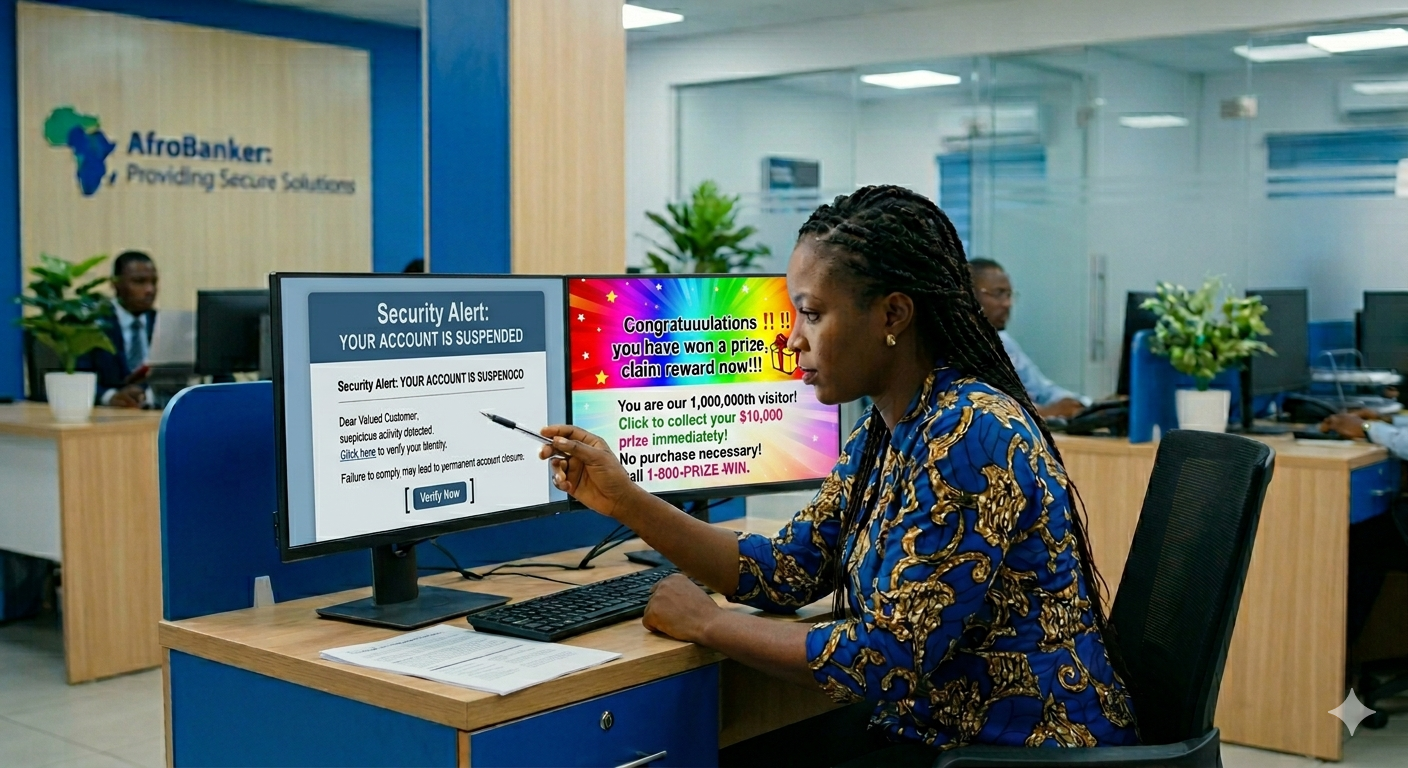
In today’s digital banking era, your inbox can either be a tool for convenience or a gateway for fraud. Every day, millions of bank customers receive emails claiming to be from trusted institutions, yet many of these messages are designed to deceive, manipulate, and steal sensitive information. Two of the most common threats are phishing emails and spam emails. While they may look similar at first glance, their intentions and dangers differ significantly. Unfortunately, many customers fail to distinguish between them, leading to costly financial losses and compromised accounts.
For African bank customers, where mobile and digital banking adoption is rapidly growing, understanding these threats is no longer optional, it is essential.
In this guide, I will teach you:
- The clear difference between phishing and spam emails
- How scammers target bank customers
- Practical steps to spot fraudulent messages
- Proven methods to protect your money and identity
What Are Phishing Emails?
Phishing emails are fraudulent messages created to trick you into revealing sensitive information such as your Bank login credentials, ATM card details, OTP (One-Time Password) codes and BVN or personal identity information. These emails often pretend to be from your bank or a trusted institution.
A common Phishing example is when you receive a message saying “Dear Customer, your account has been suspended, click this link immediately to verify your account.”
Key Characteristics of Phishing Emails:
- Urgent or threatening language like “Act now!”
- Fake links resembling bank websites
- Requests for confidential details
- Slightly altered sender email addresses
- Poor grammar or formatting inconsistencies.
The goal of phishing mail is to steal your financial data and access your account.
What Are Spam Emails?
Spam emails are unsolicited bulk messages sent to many recipients, usually for advertising or promotional purposes. Unlike phishing emails, spam is not always dangerous, but it can still be annoying and sometimes risky. Likely examples of Spam Email are:
- “Congratulations! You’ve won a prize!”
- “Earn ₦500,000 working from home!”
- Random product promotions
Key Characteristics of Spam Emails:
Listed below are some of the characteristics of spam emails.
- They are sent in large volumes
- They are often irrelevant to you
- They usually do not request sensitive information directly
- Finally, they may contain promotional links
Spamming mails are used to drive traffic, promote products, or generate clicks.
Key Differences Between Phishing vs Spam Emails Explained
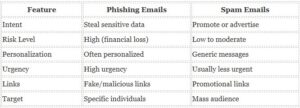
The bottom line is that all phishing emails are dangerous, but not all spam emails are phishing.
Why Bank Customers Are Easy Targets
Bank customers are attractive targets for cybercriminals because they hold financial assets, they frequently receive transaction alerts and emails, many rely on mobile banking apps and some lack awareness of digital security practices. In regions like Nigeria and across Africa, fraudsters exploit trust in banking institutions, limited cybersecurity awareness and urgency around financial transactions. This makes email-based scams highly effective.
How to Spot Phishing Emails Instantly
Here are practical red flags every bank customer should watch for in other to spot phishing mails.
1. Suspicious Sender Address. Phishing mails comes with suspicious address. Examples are, support@yourbank.com, support@yourbank-secure-alert.com etc.
2. They always come with urgent or threatening messages. The messages comes like, “Your account will be blocked today” or “Immediate action required”. Scammers use fear to push quick decisions.
3. There is always a fake login links. Try to hover over links before clicking. If it doesn’t match your company or bank’s official website, don’t click it.
4. Phishing mails always requests for sensitive information. No legitimate bank will ask for your passwords, full ATM details and OTP via email.
5. Poor grammar or design are easily noticed. Many phishing emails contain spelling errors, broken layouts and unprofessional formatting.
How to Protect Yourself from Email Scams
1. Never click suspicious links. Always visit your bank’s website directly instead of using email links.
2. Enable Two-Factor Authentication (2FA). This adds an extra layer of protection for your account.
3. Verify before taking action. If you receive a suspicious email, always call your bank or account officer, or visit your branch or use their official contact channels.
4. Use spam filters. Most email providers automatically filter spam, ensure it is activated.
5. Keep your devices Updated. Updated apps and systems help block security vulnerabilities.
6. Educate yourself regularly. Cyber threats evolve, so stay informed to stay protected.
What To Do If You Fall Victim
If you suspect you’ve clicked a phishing link or shared details, act Immediately by:
- Contacting your bank customer care
- Block your ATM or account (if necessary)
- Change all passwords
- Report the incident to your bank
These quick action can save you and prevent further loss.
Read This Real-Life Scenario
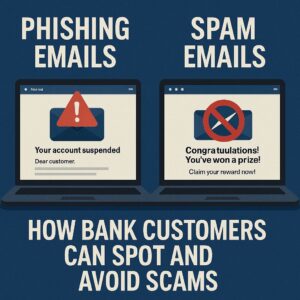
A customer received an email reading, “Dear customer, your account has been restricted due to unusual activity.” The message came with a link that looks like the bank’s official site/portal. The customer panicky clicks on the link, enters his login details and within minutes, unauthorized withdrawals begin.
This is a classic phishing attack disguised as a bank alert.
My Final Advice
Phishing and spam emails may appear similar, but understanding their differences can save your finances and identity. As digital banking continues to expand across Africa, customers must take personal responsibility for their security. Always remember, don’t rush when reading emails, always verify before acting, ask questions when in doubt and protect your banking details at all costs. Your awareness is your strongest defense.

Leave a Reply