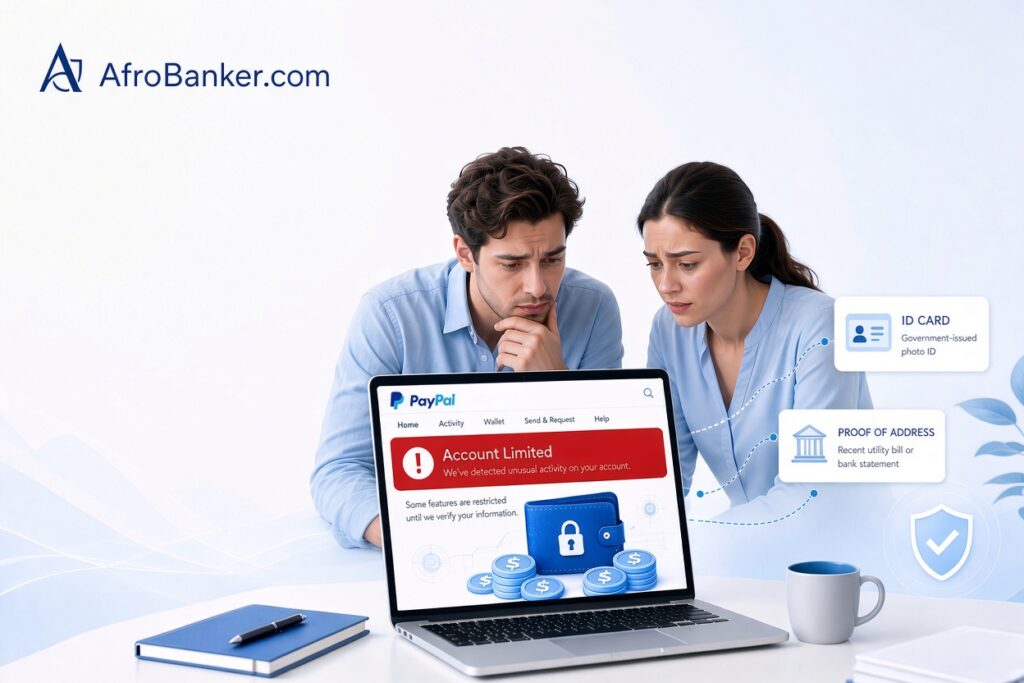
A PayPal account limitation is a restriction that blocks you from sending, receiving, or withdrawing money. It usually happens because of incomplete verification, unusual activity, high disputes, or compliance checks. To fix it, log into your Resolution Center, submit the requested documents (photo ID and proof of address), and wait for PayPal to review your account. Funds are typically held for up to 180 days in permanent limitation cases.
PayPal account limitations are one of the most stressful experiences for freelancers, online sellers, remote workers, and anyone who relies on the platform to send or receive money. Suddenly, you cannot withdraw funds, accept payments, or make transfers. In many cases, your existing balance becomes temporarily or permanently restricted.
A limitation is different from a simple payment hold. If you are dealing with a hold on a specific transaction (especially for digital goods), see our detailed guide on how to release a PayPal hold without a tracking number.
This complete guide explains what PayPal account limitations are, why they happen, the different types, exact steps to resolve them, what happens to your money, and how to reduce the risk of future restrictions.
What Is a PayPal Account Limitations?
A PayPal account limitation is a restriction PayPal places on your account that reduces or completely blocks certain features. Depending on the severity, you may be unable to:
- Send or receive money
- Withdraw funds to your bank
- Make purchases
- Access your full balance
Limitations are different from a simple payment hold. A hold usually affects one specific transaction. A limitation affects the entire account.
PayPal uses limitations as a risk-management tool. The company is required to comply with anti-money laundering (AML) rules, fraud prevention standards, and regulations in the countries where it operates. When its automated systems or manual reviewers detect unusual activity, incomplete information, or potential policy violations, a limitation is often the result.
Common Reasons PayPal Limits Accounts
PayPal rarely gives a detailed public explanation at the exact moment the limitation appears. However, the most frequent causes include:
- Incomplete or outdated identity verification
Missing photo ID, proof of address, or business documents often trigger limitations, especially for newer accounts or accounts that suddenly receive higher volumes.
- Unusual account activity:
Sudden large deposits, a sharp increase in transaction volume, receiving money from multiple new senders, or activity that does not match your normal pattern can raise red flags.
- High number of disputes, chargebacks, or refunds
Buyers opening cases against you, or a high refund rate, signals risk to PayPal.
- Selling restricted or prohibited items
Certain product categories (digital goods without proper delivery proof, high-risk items, or services PayPal considers restricted) frequently lead to limitations.
- Suspected unauthorized access or security concerns
Logins from new devices or locations, or activity that looks like account takeover, can cause temporary restrictions.
- Compliance and regulatory reviews
PayPal periodically reviews accounts to meet legal requirements. These reviews can result in temporary or longer limitations while documents are checked.
- New seller or inactive account status
Brand-new accounts or accounts that have been dormant for a long time often face stricter monitoring and temporary holds or limitations until a positive transaction history is built.
Types of PayPal Limitations
Understanding the type of restriction helps you respond correctly:
- Temporary limitation / review — PayPal asks for specific documents or information. Features are restricted until the review is complete.
- Payment holds — Specific incoming payments are held (common with new sellers or digital goods) while the rest of the account may still work.
- Permanent limitation — PayPal decides to permanently restrict the account. You can usually no longer use it for new transactions. Existing balances are typically held for up to 180 days before you can withdraw what remains (after any disputes or claims are settled).
How to Check Why Your Account Is Limited
Log in to your PayPal account on a web browser (not only the app). Look for:
- A notification banner at the top of the page
- Messages in the Resolution Center
- An email from PayPal explaining the limitation
The Resolution Center is the most important place. It usually lists exactly what PayPal needs from you.
Step-by-Step: How to Resolve a PayPal Account Limitation
Follow these steps carefully:
- Log in and open the Resolution Center
Read every message. Note the exact documents or information requested. - Submit all requested documents promptly
Common requests include:
- Government-issued photo ID
- Proof of address (utility bill or bank statement)
- Business registration documents (if applicable)
- Invoices, contracts, or proof of service delivery
- Tracking numbers or order confirmation for physical goods
- Explanation of specific transactions
Upload clear, legible files. Submit everything within the first 24–48 hours whenever possible.
- Provide extra supporting evidence
Even if not requested, helpful documents can speed up review:
- Recent bank statements showing normal activity
- Customer communications confirming delivery or satisfaction
- Supplier invoices
- A clear description of your business model or freelance work
- Respond to every follow-up
PayPal may ask for clarification. Reply quickly and keep records of all communication. - Contact support through official channels
Use the help section inside your account or the merchant services line if you have a business account. Avoid third-party “recovery” services that promise fast results for a fee, a lot of them are scams - Be patient but persistent
Temporary reviews often resolve in a few days to a few weeks once complete documentation is provided. Permanent limitations take longer, and the 180-day holding period for remaining balances is standard in many cases.
What Happens to Your Money During a Limitation?
- During a temporary limitation or review, funds usually remain in your PayPal balance but may be unavailable for withdrawal.
- With a permanent limitation, PayPal typically holds the balance for up to 180 days to cover possible buyer claims or disputes. After that period (and once any open cases are closed), you can usually withdraw the remaining amount to a confirmed bank account or eligible method.
- After the review or 180-day period, any remaining eligible balance can usually be withdrawn.
You generally cannot open a new PayPal account to bypass a limitation. Doing so violates PayPal’s user agreement and can result in both accounts being restricted.
How to Reduce the Risk of Future Limitations
Prevention is more effective than resolution:
- Complete full identity and business verification early.
- Keep your account information (email, phone, address) up to date.
- Maintain consistent transaction patterns when possible.
- Provide tracking or clear delivery confirmation for goods and services.
- Respond quickly to any PayPal requests or buyer messages.
- Avoid sudden large volume spikes without supporting documentation ready.
- Use clear, accurate descriptions of what you sell or the services you provide.
- Enable all available security features (two-factor authentication, etc.).
What causes PayPal to limit your account?
PayPal triggers account limitations when its automated risk system flags unusual or suspicious behavior, including:
- Unusual Account Activity: Sudden, rapid spikes in incoming transaction volume or high-value transfers on new or inactive accounts.
- Incomplete Identity Verification: Missing Know-Your-Customer (KYC) details (e.g., unverified identity documents, unconfirmed email, or unlinked bank/cards).
- High Buyer Disputes or Chargebacks: A high ratio of customer complaints or refund requests.
- Unsafe Login Locations: Logging in via suspicious VPNs/proxies or accessing the account from unsupported geographical locations.
- Policy Violations: Breaching PayPal’s Acceptable Use Policy (e.g., selling prohibited items or using non-compliant cross-border workarounds).
How to fix PayPal account limitation?
To resolve an active PayPal limitation:
- Log in to your account on a web browser and navigate to the Resolution Center.
- Review the specific request: Locate the active limitation under “Steps to Remove Limitation.”
- Submit requested verification documents: Upload clear copies of a government-issued photo ID (National ID, Passport, Driver’s License), a recent utility bill or bank statement proving your address, and transaction invoices/proof of fulfillment if requested.
- Wait for review: PayPal’s compliance team typically reviews submitted documentation within 3 to 5 business days.
How do I remove the limit on my PayPal?
To permanently lift sending, receiving, and withdrawal caps off a normal account:
- Verify your identity: Complete full KYC identification with your official full name, date of birth, and tax/ID identification number.
- Link and confirm a debit/credit card: Add a valid Visa or Mastercard and complete the small test-charge verification code process.
- Link and confirm a valid bank account: Connect your foreign or domestic bank details and verify the micro-deposits sent by PayPal.
How do I check my limitations on PayPal?
- Sign in to your account dashboard on desktop.
- Click the Gear icon (Settings) in the top right corner.
- Select Account Settings, then click Limits or open the Resolution Center directly from the main navigation menu. Any restricted features, pending actions, or daily transfer caps will be detailed there.
How to get money out of a permanently limited PayPal account?
When PayPal permanently limits an account, funds are typically held for 180 days to cover potential chargebacks, disputes, or refund requests from buyers.
- After 180 days: You will receive an official email stating that your funds are eligible for withdrawal.
- Withdrawal process: Log into the restricted account and transfer the remaining balance directly to a linked, verified bank account, or contact PayPal Customer Support to request a check or manual payout to your designated bank.
Can Nigerians use PayPal in 2026?
Yes, but with functional limitations.
- Personal Accounts: Standard personal accounts created under PayPal Nigeria ([paypal.com/ng](https://paypal.com/ng)) allow users to send payments, buy goods online, and link local Visa/Mastercards. However, direct native receiving into standard personal accounts remains restricted.
- Receiving Options: Nigerian freelancers and business owners receive funds by operating a PayPal Business Account paired with virtual foreign cards/accounts (e.g., Cardtonic, Grey, Geegpay) or utilizing integrations through authorized fintech partners like Paga.
What are the new PayPal rules for 2026?
Key updates to PayPal’s user agreement and merchant fees include:
- Surcharge Bans: Merchants in select jurisdictions are prohibited from imposing extra surcharges or checkout fees on buyers who choose PayPal as their payment method.
- Duty Prepayment & International Trade: Introduction of international cross-border duty calculation tools (such as Duty Clear) for sellers, applying standard transaction fees to duty prepayments.
- Third-Party Wallet & Privacy Updates: Clearer compliance and data-sharing disclosures covering integrations with third-party digital wallets and cross-border payment rails.
- Buy Now Pay Later (BNPL) Fee Restructuring: Updated fee structures for merchants accepting Pay Later transactions via payment links and virtual terminals.
How much is the new PayPal limit?
- Unverified Accounts: Typically restricted to sending/receiving caps between $500 to $1,000 lifetime total.
- Fully Verified Accounts: Standard accounts have no overall account balance cap, though individual transaction caps apply depending on currency and funding method.
Does PayPal have a limit per day?
Yes. For fully verified accounts, single transactions generally max out at $10,000 to $60,000 USD (depending on user location and account standing). Daily debit card or instant bank transfer limits usually cap between $5,000 and $10,000 per day.
How do I increase the limit on PayPal?
To request higher transaction or withdrawal limits:
- Upgrade your account type from Personal to Business if you process commercial payments.
- Provide extra business documentation (business registration documents, tax numbers, and proof of inventory).
- Maintain a low chargeback ratio and build a consistent payment history over 60–90 days.
Why can’t I withdraw money from PayPal?
You may be unable to withdraw money if:
- Your account has an active security hold or open buyer dispute.
- Your linked bank account details or virtual debit card details are expired or unverified.
- You have exceeded your daily or monthly security withdrawal limits.
- You are attempting to withdraw to an unsupported financial institution or unsupported region.
Is PayPal still working?
Yes. PayPal remains one of the largest global payment processing networks, handling hundreds of millions of daily transactions across over 200 countries and regions.
Which PayPal payment method is best?
- For Security: Credit Cards or PayPal Balance offer the highest level of buyer protection and chargeback flexibility.
- For Lowest Fees: Linked Bank Transfers (ACH or direct debit) avoid the cash-advance or card-processing transaction surcharges associated with cards.
Is PayPal linked to your bank account?
Only if you choose to link it. PayPal operates as an intermediary wallet; you can link checking/savings accounts or debit/credit cards to fund payments or withdraw your balance. However, PayPal can also operate strictly using a standalone PayPal balance without linking an active bank.
Can I use PayPal with Google Wallet?
Yes, in supported countries (such as the US and parts of Europe). You can add your PayPal account directly as a funding source inside Google Wallet to make contactless tap-to-pay purchases in stores or make payments within Android apps.
Is Google Pay better than PayPal?
It depends on your primary goal:
- Google Pay / Google Wallet is better for: In-person contactless tap-to-pay shopping, zero-fee peer-to-peer (P2P) transfers, and seamless integration on Android devices.
- PayPal is better for: Global e-commerce checkout, international cross-border freelance invoices, comprehensive buyer/seller protection, and merchant acceptance across web platforms.
Which is better than PayPal?
For African remote workers, freelancers, and international cross-border businesses, dedicated alternatives often offer better exchange rates and direct withdrawal options:
- Geegpay & Grey: Superior for African freelancers needing dedicated foreign USD, GBP, and EUR virtual accounts to receive remote salaries directly into local accounts.
- Wise (formerly TransferWise): Best for mid-market foreign exchange rates and low-cost international bank transfers.
- Payoneer: Widely accepted by global marketplaces (Fiverr, Upwork) with direct local bank payout options.
What is replacing PayPal?
While PayPal remains dominant in traditional e-commerce, it is facing market share competition from:
- Fintech Multi-Currency Accounts: Platforms like Wise, Revolut, Grey, and Geegpay that provide actual local virtual bank account details (USD, GBP, EUR) for remote workers. If you are freelancing from Africa, see our breakdown on how remote workers use Geegpay and Grey to receive USD and GBP payments.
- Digital Wallets & Tap-to-Pay: Apple Pay and Google Wallet for quick online checkouts and contactless retail payments.
- Decentralized & Stablecoin Payment Rails: USDC/USDT payment processors providing low-fee, instant cross-border transactions without traditional banking delays.
Frequently Asked Questions
How long does a PayPal limitation last?
Temporary reviews can last from a few days to several weeks. Permanent limitations remain in place, with funds typically held up to 180 days.
Can I still receive money while limited?
In many cases, no. Receiving ability is often restricted during a full account limitation.
How Can I Fix a PayPal Account Limitation? (Step-by-Step)
To fix a PayPal account limitation, follow this Step-by-Step guide below:
- Log in to your PayPal account and open the Resolution Center
- Read the exact reason for the limitation
- Upload clear copies of the requested documents (government-issued photo ID + proof of address)
- Provide extra supporting evidence if possible (invoices, contracts, bank statements)
- Respond quickly to any follow-up requests from PayPal
- Wait for the review to complete (usually a few days to a few weeks)
Will PayPal permanently take my money?
PayPal does not keep your funds indefinitely in most legitimate cases. After the holding period and resolution of claims, remaining balances are usually released.
Should I open a new account?
No. This is against PayPal policy and frequently leads to further restriction
Final Thoughts
PayPal account limitations are frustrating, but they are usually resolvable when you respond quickly with complete and accurate information. Treat every request from the Resolution Center seriously, keep clear records of your transactions and communications, and avoid shortcuts that violate the user agreement.If you rely heavily on PayPal for income, consider diversifying with alternative platforms (Wise, Payoneer, or local banking options) so one restriction does not completely stop your cash flow.Stay proactive with verification and documentation, and you will significantly reduce the chance of unexpected limitations interrupting your financial activity.
Related Guides: